Roofing invoicing software
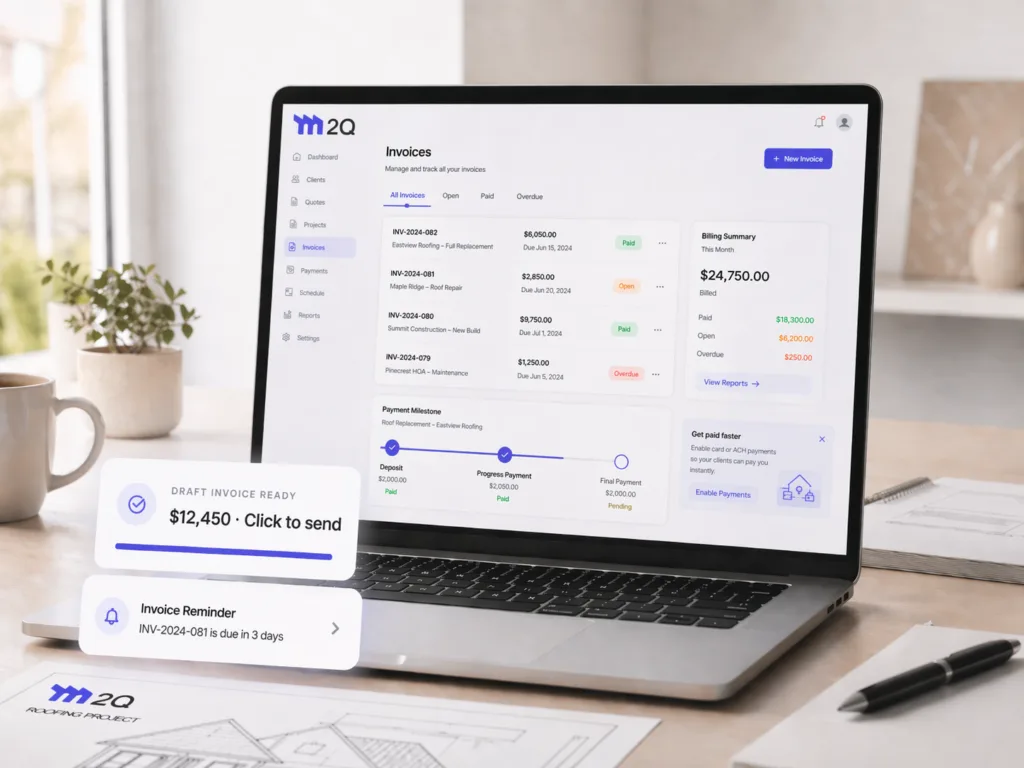
Turn a signed quote into an invoice in one click, track what's paid and what's overdue at a glance, and let M2Q send the reminder when a due date passes.
14-day free trial · no credit card · no demo call
From job done to money in the bank - in 3 easy steps.
An invoice is what's owed for work already done - so it stays simple: one total, sent, paid, tracked.
Start the invoice
Create a new invoice from scratch, or turn a signed quote - or just one of its payment milestones - into an invoice in one click.
Send it & get reminded
Share it by link, text, email or WhatsApp, or download a PDF. If the due date passes and it's not fully paid, M2Q sends the reminder automatically - you don't have to chase it.
Record the payment
Card, ACH, check or cash - log every payment against the invoice as it lands, and watch it move from Open to Paid.
One milestone, its own invoice - contract total included.
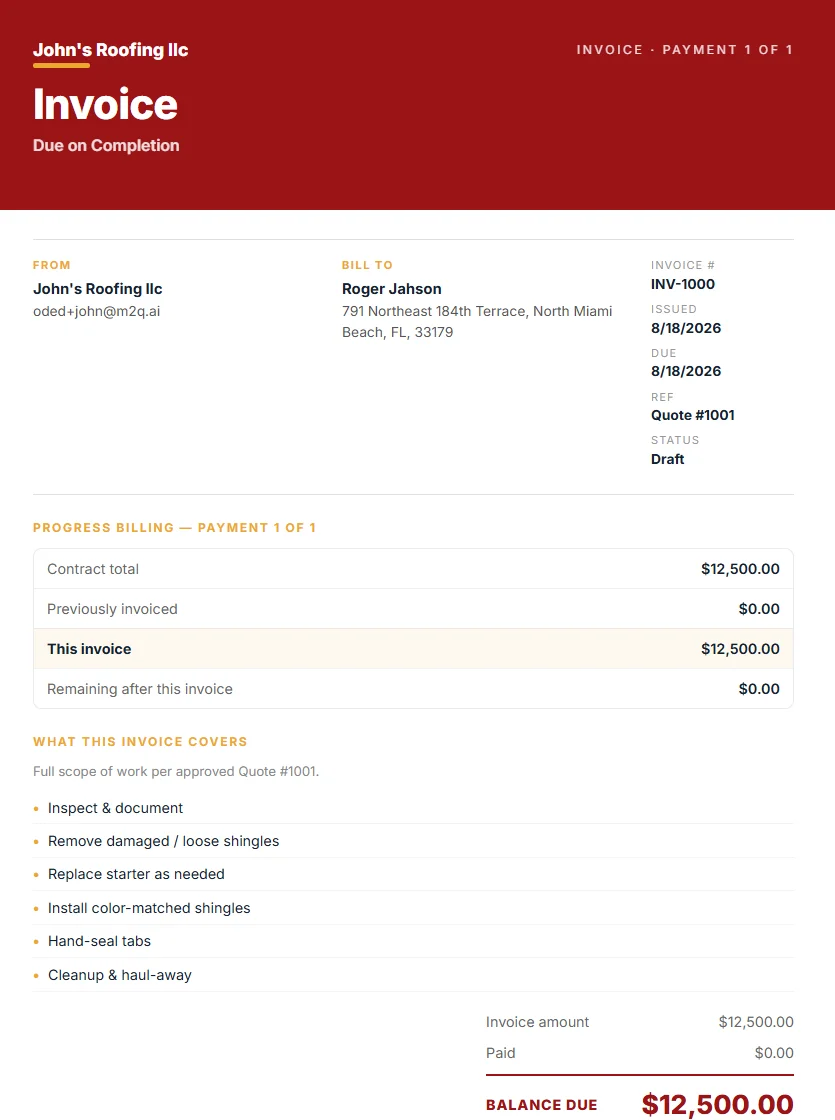
Turn one payment milestone from a signed quote into an invoice, and it carries the full contract context with it: total, what's already been invoiced, this payment, and what's left - so your client sees exactly where the job stands, not just a number.
- Contract total, previously invoiced and remaining balance, shown automatically
- Scope of work for this invoice listed line by line
- Your logo, business name and branding on every invoice
- Balance due called out clearly at the bottom
Want to try it before you commit?
Build a real roofing invoice free, right in your browser - line items, your logo, tax and discounts, download as a PDF. No signup until you're ready to send it.
Try the free invoice builder →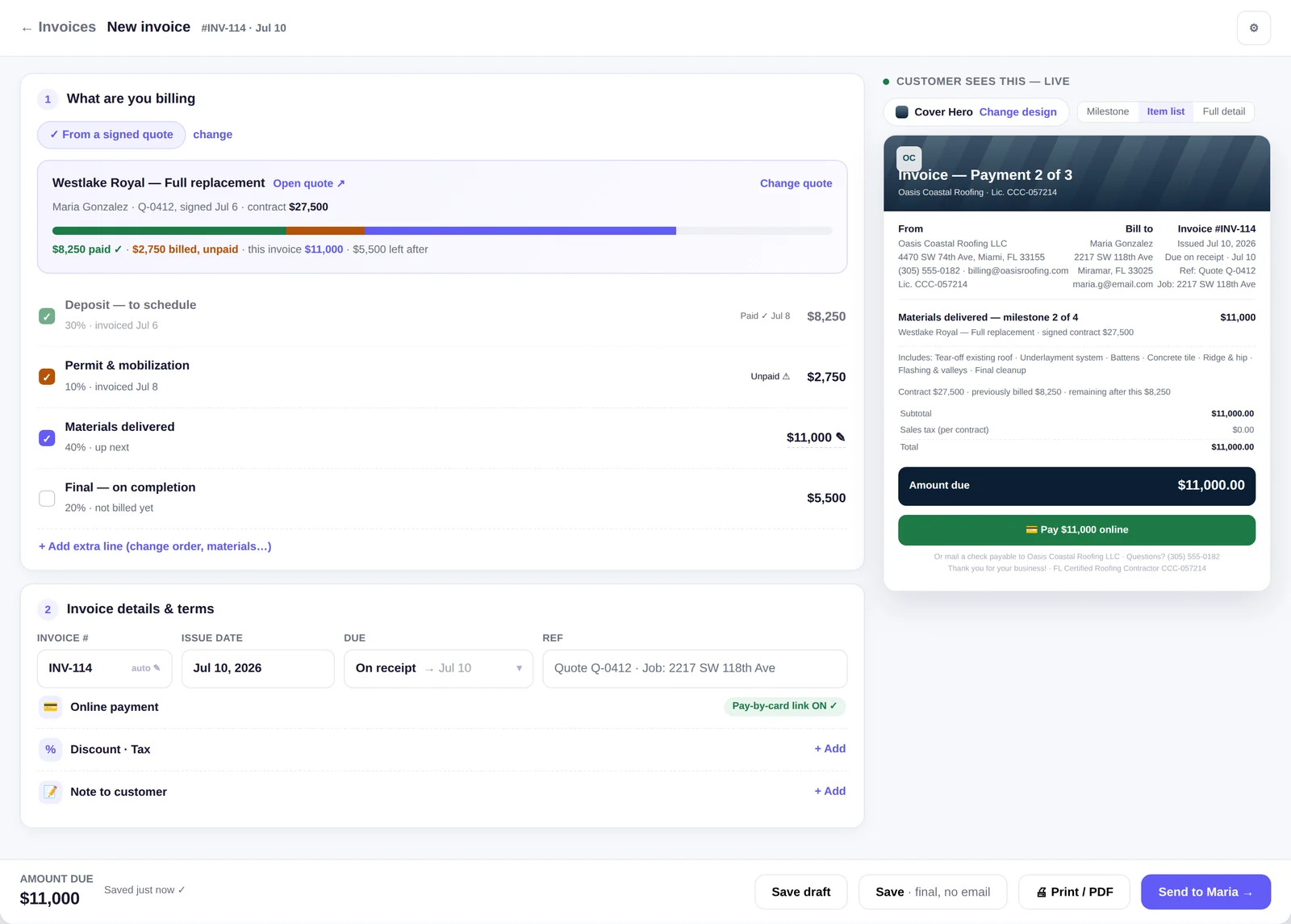
Built for getting paid, not just billing.
One click from quote to invoice
A signed quote - or just one of its payment milestones - becomes its own invoice instantly, scope and price already filled in.
Automatic overdue reminders
Due date passes and the balance isn't zero? M2Q sends the reminder for you - no manual chasing, no awkward calls.
Record every payment
Card, ACH, check or cash - log payments as they land and watch the invoice move from Open to Paid, partial or full.
See what's owed, at a glance
Billed, paid, open and overdue - a running summary for the month, and every invoice searchable by status.
Same design library as your quotes
Letterhead to dark premium - invoices share the same 21 designs as quotes, so every document your client sees matches.
AI-written terms & notes
Notes and terms - click Generate, AI drafts them, you edit. Nothing goes out unseen.
Discounts & tax carry over
Whatever discount and tax you set on the quote carries straight through to the invoice - nothing to re-enter.
Share however you like
One link by text, email or WhatsApp, or download a PDF - your client can view and pay it the moment they open it.
Card, ACH & bank transfer
Turn on online payments and your client pays straight from the invoice - no more waiting on a mailed check.
Change orders, tracked
Add a change-order line the same way as any other item - it shows up with its own quantity and rate, no confusion about what changed.
Your logo & branding
Upload it once in your company profile and it appears automatically on every invoice, along with your business name, address and contact details.
No payment-schedule clutter
An invoice is one clear total, not a deposit-and-milestone negotiation. Need staged billing? Set the schedule on the quote, and each stage can become its own invoice.
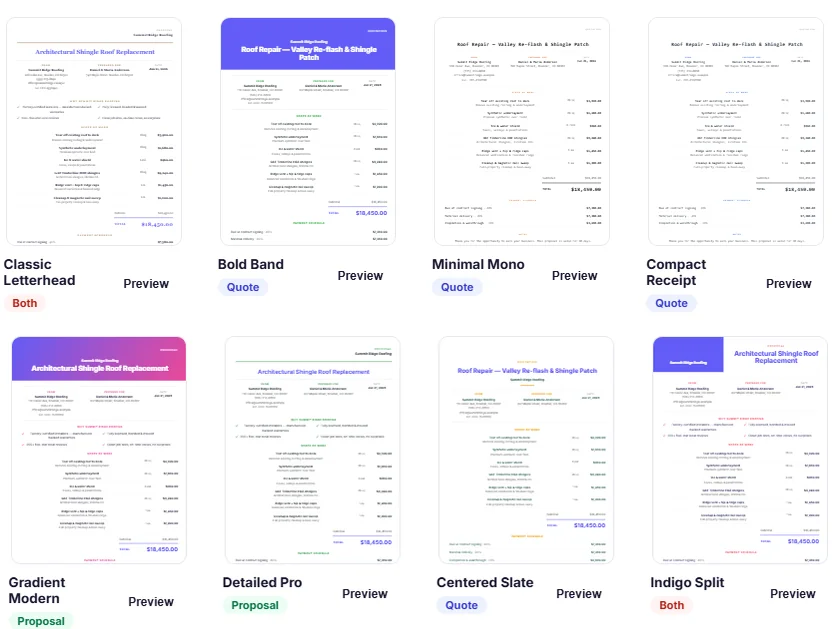
21 designs - from classic letterhead to dark premium.
The same design library as your quotes, so every document your client sees matches. Pick one, tick a box, and it becomes your default.
Everything you need to know about M2Q’s roofing invoicing software.
What is roofing invoice software and why do roofing contractors need it?
It's software that turns a completed roofing job into a professional invoice - line items, your branding, tax and discounts - and lets you send it, track whether it's been paid, and collect the money, all in one place instead of a spreadsheet and a paper trail. For a contractor running several jobs at once, it's the difference between knowing what's owed at a glance and chasing invoices by memory.
Can I send a roofing invoice directly from a quote in M2Q?
Yes - an approved quote becomes the invoice in one click, with the scope and price already filled in. You can also turn just one payment milestone from a quote (deposit, progress payment, final payment) into its own separate invoice, instead of always invoicing the whole job at once.
How do I send a roofing invoice to my customer with M2Q?
Send a link by text, email or WhatsApp and your client can view and pay it from any phone, or download it as a PDF and send it however you prefer. Either way there's no printing, scanning or emailing back and forth.
Does M2Q help me track unpaid invoices and accounts receivable?
Yes - every invoice shows as Paid, Open or Overdue, with a running summary of what's been billed, paid and still outstanding. If a due date passes and the balance isn't zero, M2Q sends the customer a reminder automatically.
Can I customize my roofing invoice template with my logo and terms?
Yes - your logo, business name, address and contact details appear automatically once they're set in your company profile, and invoices share the same 21 design options as quotes, so add your terms once and every invoice matches your brand.
Does M2Q support progress billing and milestone payments for roofing jobs?
Not on the invoice itself - an invoice is what's owed for work already done, so it stays to one clear total. Progress billing and milestone payments belong on the quote: set a deposit and milestone schedule there, and each stage can become its own invoice as the job moves along.
Can I record a payment that came in outside M2Q, like cash or a check?
Yes - record any payment against an invoice, however it arrived, and the balance and status update immediately. It doesn't have to go through online card or ACH payment to be tracked.
Can customers pay the invoice online?
Turn on card and ACH payments and your client can pay straight from the invoice link - it lands against the invoice automatically, no manual reconciling.
Can I try M2Q's invoicing features for free before paying?
Yes - invoicing is included in every M2Q plan, and the 14-day free trial needs no credit card. Build and send real invoices from day one.
Invoices that chase themselves.
Start the trial, send a real invoice today.