
Schedule & tasks
See your day - or your whole crew's - at a glance. Create tasks, set reminders, and know what's next without a text-message trail.
14-day free trial · no credit card · no demo call
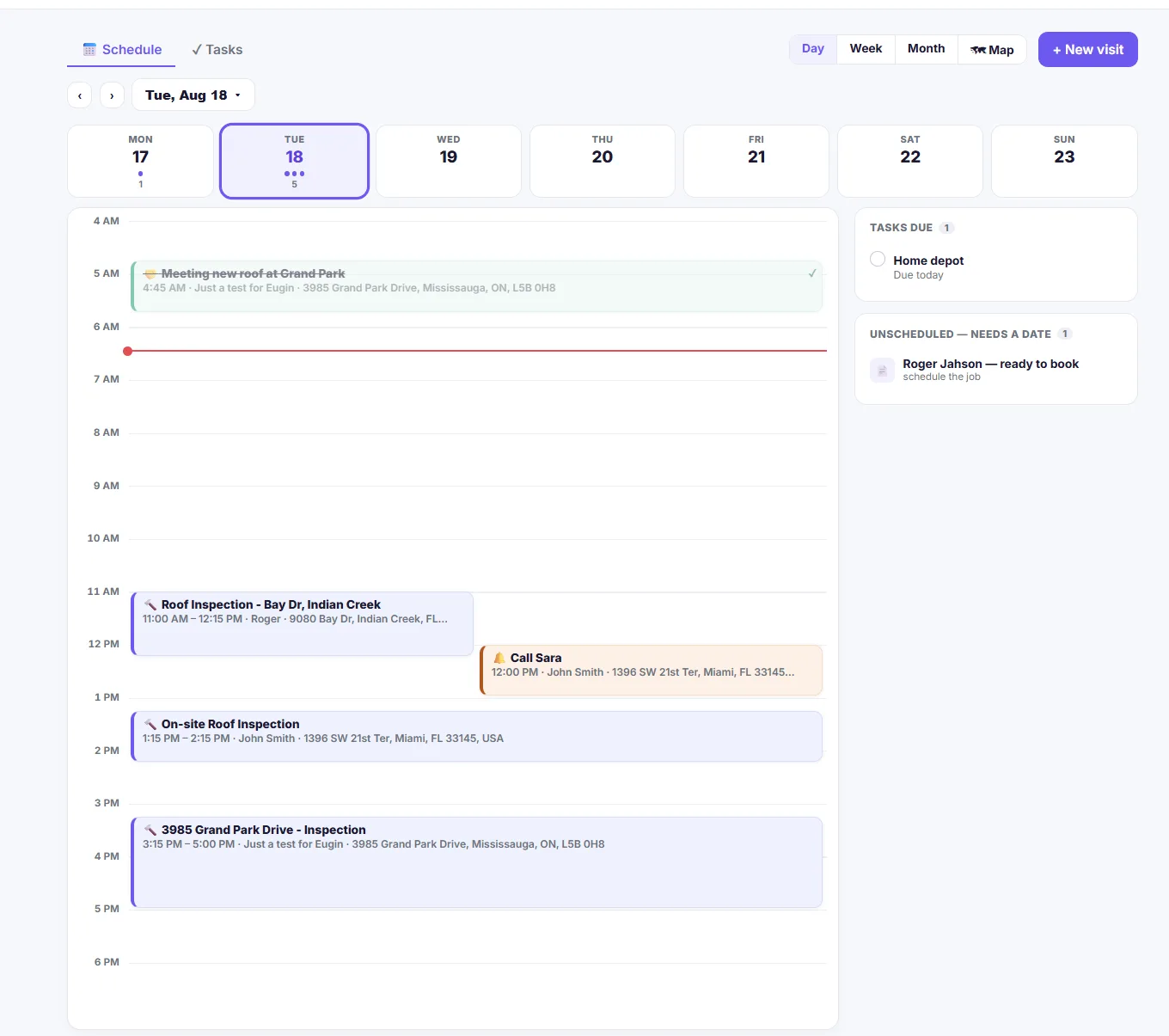
From open calendar to job done - in 3 easy steps.
Your schedule, your crew's schedule, and every task in between - one place to check instead of five group chats.
See the schedule
Your jobs, or your whole team's, on one calendar. Filter by crew member and jump straight to any day.
Create a task
Add a task to any job - who it's for, what it is, when it's due - and link it straight to the customer, quote or invoice it belongs to.
Get reminded
Set a reminder once and M2Q sends it on schedule, so nothing about a job gets forgotten between visits.
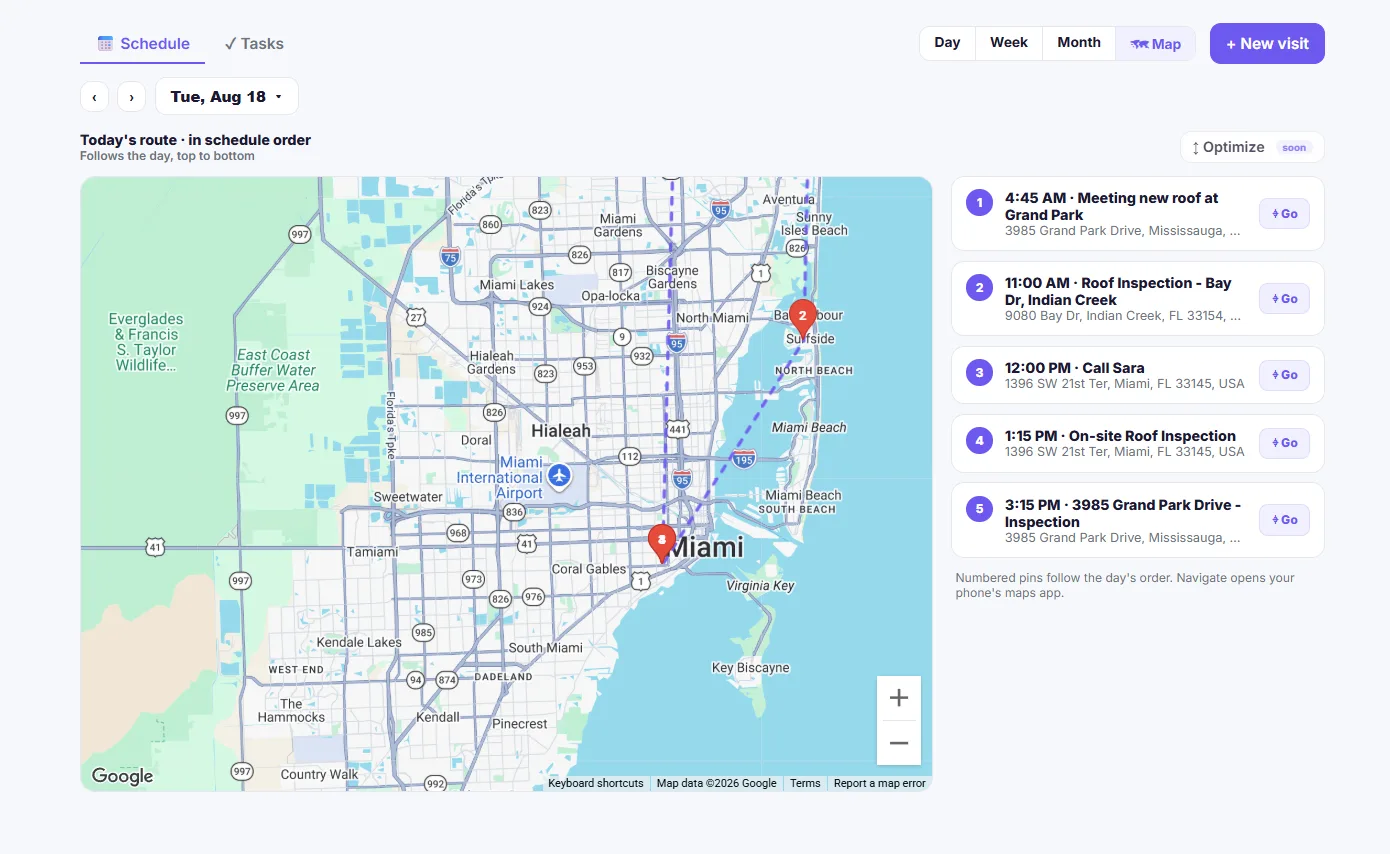
See today's stops on a map - not just a list.
Every job on the day's schedule drops onto a map in order, so you can see the route before you drive it. Tap Go on any stop and it opens turn-by-turn directions in your phone's own maps app - no separate app to juggle.
- Numbered pins follow the day's schedule order
- Tap Go to open the stop in your phone's maps app
- One-click switch between Day, Week, Month and Map views
- Route optimization - coming soon
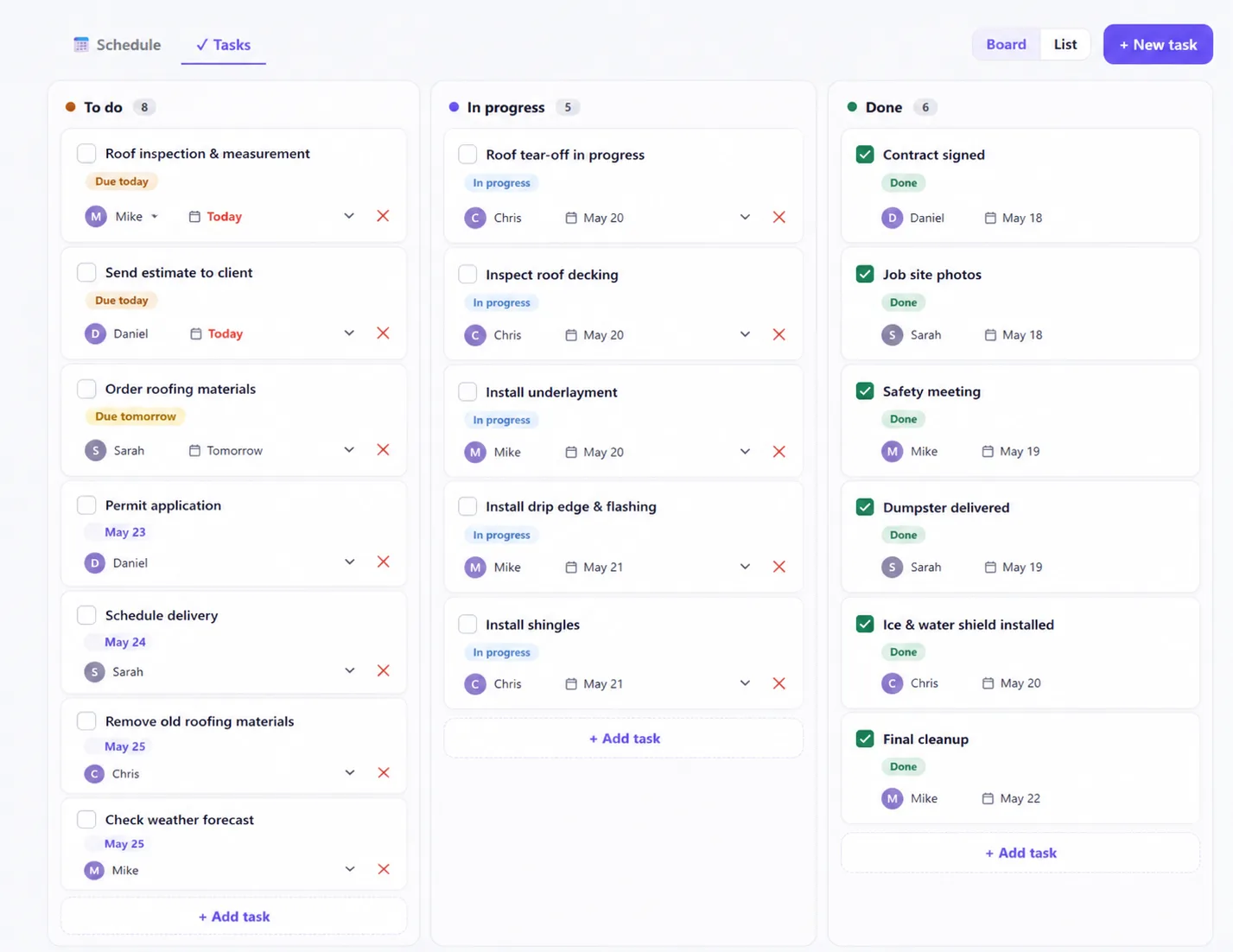
Every task on one board - to do, in progress, done.
Job tasks live on a simple board: To do, In progress and Done. Each card shows who it's assigned to and when it's due, so status is a glance, not a group chat.
- Board view - drag a task across To do, In progress and Done
- Each card shows the assignee and a due date badge
- “Due today” and “Due tomorrow” called out automatically
- Switch to List view for the same tasks in a flat list
Know what's next, for you and everyone on the crew.
Team calendar
Day, week or list view of your jobs - or the whole crew's, side by side.
Assign to anyone on the team
Give a task to yourself or a coworker - they see it the moment it's assigned.
Tasks tied to the job
Every task links back to its customer, quote or invoice, so the context is never more than a click away.
Reminders that actually fire
Set a reminder once and M2Q sends it - no sticky notes, no relying on memory.
Filter by crew member
Jump straight to one person's day, or see everyone's schedule at once.
Jump to any day
Move forward, back, or straight to a specific date - today's jobs are never more than a click away.
Map & route view
See today's stops as numbered pins in schedule order, then tap Go to open turn-by-turn directions in your phone's maps app.
Everything you need to know about scheduling & tasks in M2Q.
Can I see my whole team's schedule, not just my own?
Yes - switch between your own jobs and the whole crew's, or filter down to one person at a time.
Can I assign a task to someone else on my team?
Yes - assign a task to yourself or any coworker on the account. They see it the moment it lands.
Do reminders actually notify me, or do I have to check the app?
Set a reminder once and M2Q sends it on the schedule you chose - you don't have to remember to go looking for it.
Can a task be linked to a specific job, quote or invoice?
Yes - a task attaches to the customer, quote or invoice it belongs to, so anyone who opens it has the full context.
Is scheduling included in every M2Q plan?
Yes - scheduling and tasks are part of the core app, not an add-on.
Can I try scheduling and tasks for free?
Yes - it's included in the 14-day free trial, no credit card needed.
Never lose track of a job again.
Start the trial, put today's jobs on the calendar.