AI roof estimate app
Say the job out loud, upload a report or your handwritten notes, or type it.
Your first roof measurement is on us. Free.





or skip the typing
Free - no signup until your estimate is ready to send. Need the roof measured? Order a report ›

Talk, upload or type in the chat. The blur lifts as soon as the AI has the job - then put your company on it and edit anything.
More free tools roofers actually use
Every one is free, forever - no signup, no catch.
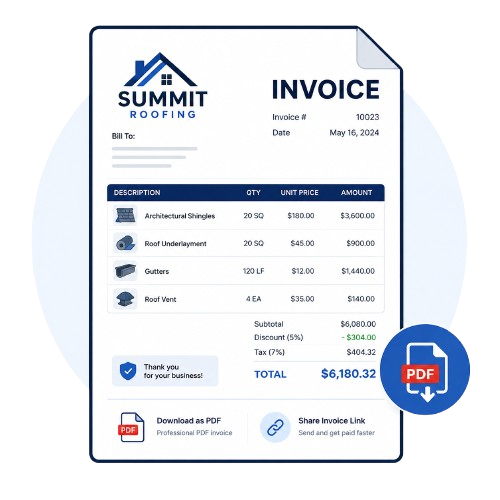
Free roofing invoice
Line items, tax and discounts, priced your way. Download as a PDF or share a link.
Try it free →FreeFree quote templates
37 roofing quote templates written by roofers. Pick one, edit the lines, send it.
Try it free →Free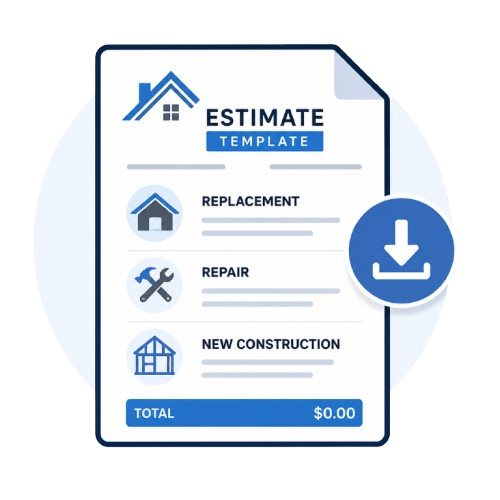
Free estimate template
The scope of work already written - replacement, repair and new construction.
Try it free →Free
Sales pitch generator
A ready-to-say script for the door, the phone, or a follow-up text - in seconds.
Try it free →Free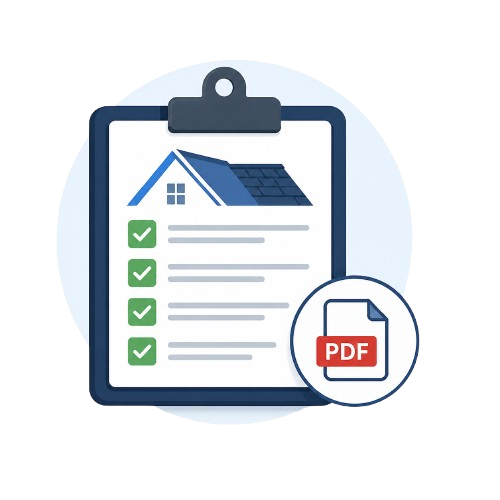
Inspection checklist
Residential and commercial checklists, or fill one in and download a branded PDF report.
Try it free →Free
Digital business card
Logo, photo, gallery and About section - a shareable link with click-to-call and save-to-contacts.
Try it free →Free
Job site weather app
Rain, wind and heat for every job address, and a heads-up before rain hits. iPhone and Android.
Try it free →AI roof estimating software that does the typing for you.
Voice to roofing estimate
Tap the mic and talk through the job like you would to your crew. The AI knows trade words like tear-off, drip edge and Timberline HDZ, and turns what you said into line items.
Report or photo to estimate
Upload a measurement report, a PDF estimate or a photo of your handwritten notes. The AI reads the squares, pitch, edges, line items and prices that are written there.
One line of text to estimate
Type something like "re-roof, 25 squares, GAF HDZ, $23,000, 3 payments". You get a titled estimate with a customer-ready scope of work, and the AI asks about anything it's missing.
Want to fill it in yourself? Use the free roofing estimate template or the roofing estimate tool. Need the roof size first? Try the roof measurement tool. Ready to write one? Start your estimate.
AI roof estimate questions, answered.
What is an AI roof estimate app?
It's a tool that writes the roofing estimate for you. You describe the job by voice, text or an uploaded document, and the AI builds the estimate - job title, line items, a scope of work the homeowner can understand, pricing and a payment schedule. You check it, change what you want and send it.
Is this AI roof estimating software free?
Building an estimate here is free and you don't need to sign up. You create an M2Q account when the estimate is ready to save and send to your customer.
How does voice to roofing estimate work?
Tap Talk and say the job the way you'd tell your crew: the work, the roof size, the product, the price and how the customer pays. Recordings can run about two minutes. Your words are transcribed, the estimate fills in as you watch, and you can keep talking to change it.
Can I upload an EagleView, Roofr or Hover report?
Yes. Upload a measurement report from EagleView, Roofr, Hover, GAF QuickMeasure or a similar service as a PDF or a photo. The AI pulls out what's written, like total squares, pitch and ridge, hip, valley, eave and rake lengths, and starts the estimate from there.
Can it read my handwritten estimate?
Yes, if the writing is legible. Take a photo of your notes and upload it. The AI only copies what it can read and leaves out what it can't, so look over the numbers before you send anything.
Does the AI make up my prices?
No. It only uses prices you said, typed or uploaded. If you didn't give a price, it asks you or leaves the price blank. The price is yours to set, and a price you edit by hand stays put when you keep chatting with the AI.
Does it measure the roof?
Not by itself. Give it the size in squares, or upload a measurement report and it reads the numbers from there. If you need the roof measured, M2Q has a roof measurement tool that works from the address.
Is there an AI roof estimate template?
You don't have to fill in a template here. The AI picks a starting point that matches the job type and roof material, then writes the line items for you. If you'd rather fill in a blank form yourself, use our free roofing estimate template.
Is this an app I have to download?
No. It runs in the browser on your phone, tablet or computer, so there's nothing to install. On a phone, the chat and the estimate sit on two tabs, which makes it easy to use from the driveway.
What kinds of roofing jobs does it handle?
Roof replacements, repairs and new construction, on shingle, metal, tile and flat roofs. It also suggests common add-ons you may want to offer on that kind of job, and you decide which ones go in.
Can I edit the estimate after the AI writes it?
Yes, all of it. You can change line items, descriptions, quantities and prices, drag items into a new order, or just tell the AI what to change. Your customer's details, a discount and a note to the customer can go on it too.
Can I price by the square or show a payment schedule?
Yes. Show one total, a price per square or a price for each line item. You can split the job into a payment schedule, and the payments always add up to the total.
Can I put my logo and company colors on the estimate?
Yes. Enter your website and the tool pulls your logo, company details and brand colors, or add them by hand. Preview the estimate and try a different color before you share it.
How do I send the estimate to my customer?
Press Save & share and create your M2Q account. Your estimate is waiting for you there, ready to send. M2Q also handles e-signatures, invoices and payments, so the same job can carry on through to getting paid.
Is an AI roofing estimate accurate?
It's as accurate as what you give it. The AI writes up your numbers and doesn't work out a price or a roof size on its own. You know the job, so read it over before it goes to the customer, the same as any estimate.